

Short answer: Hackers compromised Ethersphere's bee-js and Swarm Desktop to steal wallet keys. Users should rotate passwords and keys, and remove affected software.
TL;DR
- Hackers released malicious versions of bee-js and Swarm Desktop.
- These versions can steal wallet keys and install backdoors.
- Check and update Swarm Desktop to version 0.56.3.
- Rotate passwords and keys if your computer was infected.
What happened?
Hackers exploited Ethersphere's project to release malicious versions of bee-js and Swarm Desktop. These versions steal wallet keys and install backdoors. Users should update software and secure their wallets by rotating passwords and keys.
- Malware
- Harmful software made to spy, steal or damage.
Key facts
| Reported by | The Hacker News |
|---|---|
| Date reported | 09 Nov 2026 |
How it works
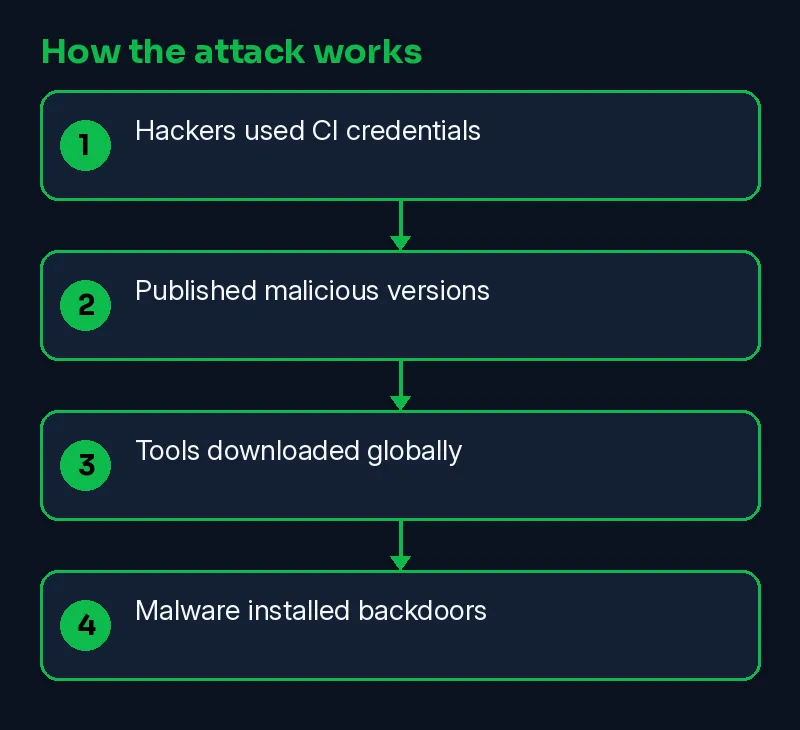
Hackers used Ethersphere's own tools to spread malware. They tricked users into downloading malicious versions of two tools: bee-js and Swarm Desktop. When users installed these, the malware stole keys and passwords, potentially giving hackers full control.
- Hackers used CI credentials
- Published malicious versions
- Tools downloaded globally
- Malware installed backdoors
Timeline
| Date | Event | Source |
|---|---|---|
| 2026-11-09 | Reported by The Hacker News | The Hacker News |
| 2026-11-28 | This Skillmate explainer published | Skillmate |
How to fix it
- If you keep crypto on an exchange, move long-term holdings to a wallet you control and turn on withdrawal address allow-lists.
- Use app-based or hardware-key two-factor authentication on exchange and wallet accounts, not SMS codes.
- Treat unexpected job offers, coding tests or trading apps sent over chat as suspicious; they are a common lure in crypto theft.
- Companies holding crypto: require more than one approver for large transfers and keep signing keys on separate, locked-down devices.
How to detect it
Defenders should look for odd logins, network errors, and the line 'Bee Desktop version: 0.56.2 (production)' in the log file. A false positive could be a legitimate update with a different version number.
Signs to watch for:
- Withdrawals to new addresses, or at unusual sizes or times.
- New devices, API keys or withdrawal addresses added to exchange or wallet accounts.
- Developer tools, packages or 'trading' apps installed right after a recruiter or job chat.
What is confirmed
- Reported by The Hacker News
- Reported by github.com
Why it matters
This attack shows the importance of secure software supply chains and regular updates. Companies and users must stay vigilant to avoid similar compromises.
Learn the skills behind this story
Want to understand attacks like this and defend against them? Join Skillmate cybersecurity training or practise hands-on in Skillmate Labs.
FAQ
What should I do if I suspect my computer is infected?
Rotate all passwords, tokens, and keys, and remove the @ethersphere/bee-js package. Treat the node's key and password as stolen.
What is the main risk of @ethersphere/bee-js 13.3.0?
It may steal wallet keys and install a backdoor, even if the install log shows no errors.
Is there a way to know if the malware was installed?
Look for the line 'Bee Desktop version: 0.56.2 (production)' in the log file, as it is written at every launch.
Related Skillmate posts
Sources
- Hackers Compromise Ethersphere's bee-js and Swarm Desktop to Deliver Wallet-Stealing Malware (The Hacker News)
- Primary source / advisory (github.com)
How we wrote this: facts come from the sources above. An on-prem AI model drafted the plain-English parts and every sentence was checked against the sources; unsupported sentences were removed. MITRE mapping is our own judgement.
Watch today's video brief: https://youtu.be/e-8gKIJlbPQ