Short answer: cPGuard's update system was hacked, sending a backdoor to 2,950 Linux servers. Admins should update cPGuard, remove leftover files, and reset passwords and keys.
TL;DR
- cPGuard's update system was hacked.
- Update cPGuard to the latest version.
- Check for and delete any leftover files.
- Reset passwords and SSH keys.
What happened?
This incident involved a hacker breaking into cPGuard's update system. They sent a malicious script to Linux servers, which installed a backdoor and collected sensitive data like password hashes. Admins need to update their systems, check for leftover files, and reset passwords and keys to secure their servers.
- Malware
- Harmful software made to spy, steal or damage.
Key facts
| Reported by | The Hacker News |
|---|---|
| Date reported | 03 Nov 2026 |
How it works
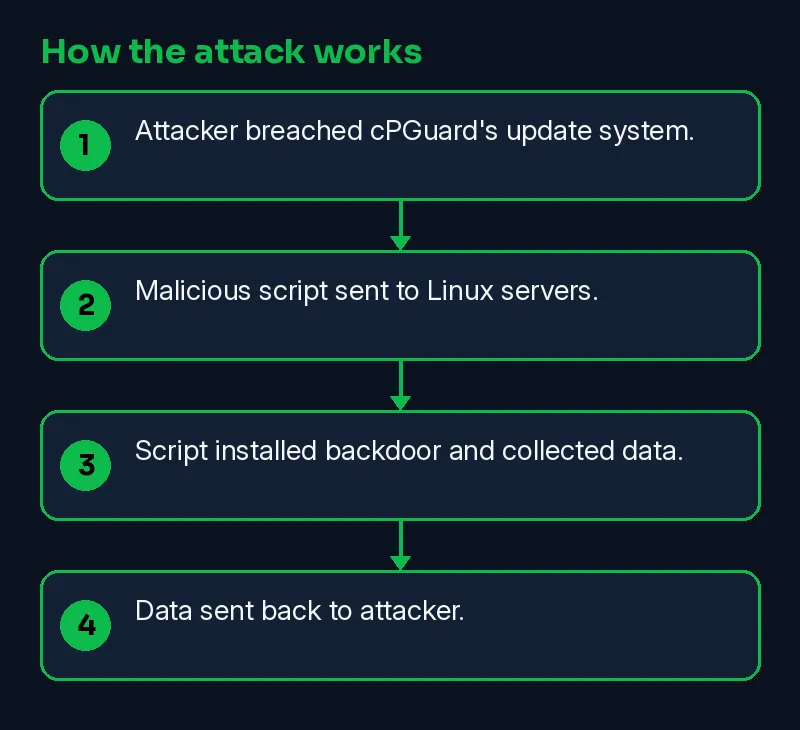
- Attacker breached cPGuard's update system.
- Malicious script sent to Linux servers.
- Script installed backdoor and collected data.
- Data sent back to attacker.
Timeline
| Date | Event | Source |
|---|---|---|
| 2026-11-03 | Reported by The Hacker News | The Hacker News |
| 2026-11-07 | This Skillmate explainer published | Skillmate |
How to fix it
- If you have an account with the affected company, change that password and any reused copies of it.
- Turn on two-factor authentication (a second login step) wherever the service offers it.
- Expect phishing emails or calls that use the exposed details; verify requests through official channels.
How to detect it
Defenders should look for failed updates, unexpected files, and missing logs.
Signs to watch for:
- Login alerts from new devices or locations on the affected account.
- Password-reset emails you did not ask for.
- Phishing messages that quote your real account details.
What is confirmed
- Reported by The Hacker News
Why it matters
Companies and users need to update cPGuard and reset passwords to protect their data. It highlights the importance of cybersecurity for all.
Learn the skills behind this story
Want to understand attacks like this and defend against them? Join Skillmate cybersecurity training or practise hands-on in Skillmate Labs.
FAQ
What should I do if my server got an update but didn’t log it?
Check the server’s update logs. If there’s no log, contact support to verify if an update was applied.
How can I confirm my cPGuard server is up to date?
Run cpgcli --version to check the version. If it’s not the latest, run cpgcli update --start.
What files should I check after an update?
Check for /etc/cron.d/i93677, /var/tmp/.i93677/, and /var/tmp/.cpg91511_sh. Delete any that remain.
What passwords should I reset?
Reset root and other local passwords, MySQL root, and any database passwords stored in /root/.my.cnf.
Related Skillmate posts
Sources
- cPGuard Update Channel Hijacked to Backdoor Linux Servers and Collect Password Hashes (The Hacker News)
How we wrote this: facts come from the sources above. An on-prem AI model drafted the plain-English parts and every sentence was checked against the sources; unsupported sentences were removed. MITRE mapping is our own judgement.