
Short answer: Old permissions stay even after an employee leaves. This can lead to security issues. Regularly review and revoke unused access.
TL;DR
- Old access rights often persist after job changes.
- Security reviews are essential to remove unused permissions.
- Transfers can also cause old access to linger.
What happened?
Old access outliving the job means that permissions granted to employees continue to exist even after they leave or change roles. This can create security risks as unused or outdated access may be exploited by attackers. Regular reviews and updates of access controls are necessary to ensure security.
Key facts
| Reported by | CSO Online |
|---|---|
| Date reported | 11 Nov 2026 |
How it works
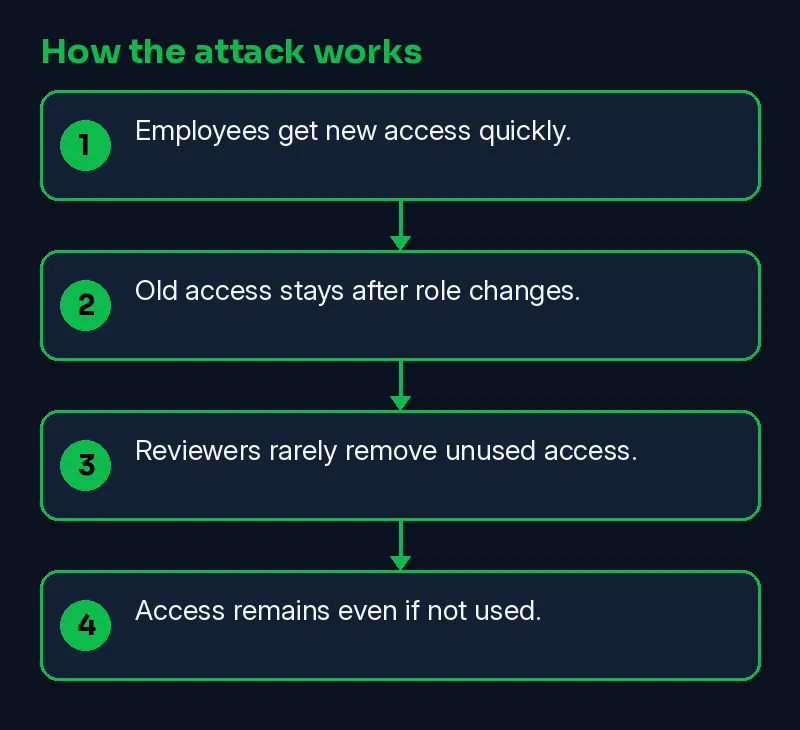
Old access rights can remain in place after employees change roles or leave the company. Security teams often don’t monitor or review these rights, making them hard to remove.
- Employees get new access quickly.
- Old access stays after role changes.
- Reviewers rarely remove unused access.
- Access remains even if not used.
Timeline
| Date | Event | Source |
|---|---|---|
| 2026-11-11 | Reported by CSO Online | CSO Online |
| 2026-11-29 | This Skillmate explainer published | Skillmate |
How to fix it
- If you have an account with the affected company, change that password and any reused copies of it.
- Turn on two-factor authentication (a second login step) wherever the service offers it.
- Expect phishing emails or calls that use the exposed details; verify requests through official channels.
How to detect it
Defenders look for old access that stays even after job changes (signs of old roles persisting), odd logins by old accounts, and unneeded permissions in logs.
Signs to watch for:
- Login alerts from new devices or locations on the affected account.
- Password-reset emails you did not ask for.
- Phishing messages that quote your real account details.
What is confirmed
- Reported by CSO Online
Why it matters
Leaving old access can let attackers use leftover permissions. It increases the risk of data breaches and compromises. Regular reviews are crucial.
Learn the skills behind this story
Want to understand attacks like this and defend against them? Join Skillmate cybersecurity training or practise hands-on in Skillmate Labs.
FAQ
What is old access outliving the job?
It means employees keep their old access rights after changing roles or leaving the company, making it harder to remove old permissions.
Why is it hard to remove old access?
Removing access doesn’t have a deadline or owner like granting it, making it easy to forget. Reviews often just confirm access is still valid, not if it’s still needed.
How common is old access outliving the job?
Survey data suggests many workers keep using old passwords after leaving their jobs, indicating this is a common issue.
Sources
- Why does old access outlive the job? (CSO Online)
How we wrote this: facts come from the sources above. An on-prem AI model drafted the plain-English parts and every sentence was checked against the sources; unsupported sentences were removed. MITRE mapping is our own judgement.
Watch today's video brief: https://youtu.be/o6618M4sH-8