
Short answer: The Kyiv Independent, a Ukrainian news outlet, was hit by a suspected Russian cyberattack. Fake emails and website messages were sent to confuse readers. Readers should stay informed and verify information from multiple sources.
TL;DR
- The Kyiv Independent's website was hacked.
- False emails were sent to subscribers.
- Messages appeared on the website.
- The content aimed to confuse readers about Ukraine’s situation.
- Stay informed and verify information.
What happened at Kyiv?
In this case, hackers accessed the Kyiv Independent's website and newsletter system to spread false information. The main goal was to confuse readers about Ukraine's current situation, which is part of the ongoing conflict with Russia. The news outlet is working with cybersecurity experts to secure their systems.
Key facts
| Reported by | The Record |
|---|---|
| Date reported | 04 Nov 2026 |
How it works
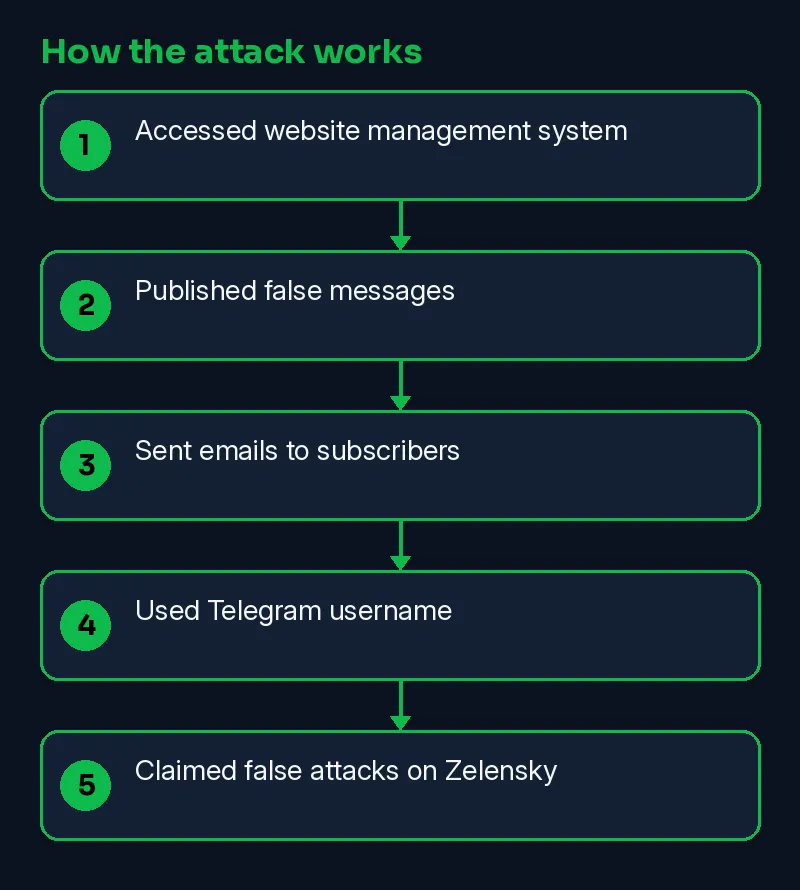
Hackers gained access to Kyiv Independent’s website management system and newsletter service. They published false messages and sent emails to subscribers. The emails claimed false attacks on Ukrainian President Zelensky, urging readers to seek shelter. The hackers used a Telegram username to spread misinformation.
- Accessed website management system
- Published false messages
- Sent emails to subscribers
- Used Telegram username
- Claimed false attacks on Zelensky
Timeline
| Date | Event | Source |
|---|---|---|
| 2026-11-04 | Reported by The Record | The Record |
| 2026-11-10 | This Skillmate explainer published | Skillmate |
How to fix it
- If you have an account with the affected company, change that password and any reused copies of it.
- Turn on two-factor authentication (a second login step) wherever the service offers it.
- Expect phishing emails or calls that use the exposed details; verify requests through official channels.
How to detect it
Defenders should look for unusual activity like unauthorized logins, changes to website content, and unexpected emails.
Signs to watch for:
- Login alerts from new devices or locations on the affected account.
- Password-reset emails you did not ask for.
- Phishing messages that quote your real account details.
What is confirmed
- Reported by The Record
- Reported by kyivindependent.com
Why it matters
This attack shows how cyber threats can spread misinformation. Companies and users must stay vigilant and protect their online platforms. Kyiv Independent’s experience highlights the importance of cybersecurity measures to prevent such attacks and maintain trust.
Learn the skills behind this story
Want to understand attacks like this and defend against them? Join Skillmate cybersecurity training or practise hands-on in Skillmate Labs.
FAQ
What should I do if I see unusual website content changes?
Report it immediately to your IT team and check if it's a legitimate change or a sign of a cyberattack.
Can my bank details be compromised?
No, the bank details of Kyiv Independent’s members and donors were not compromised as payments are handled by secure third-party services.
What should I do if I receive a suspicious email?
Do not open attachments or click on links in suspicious emails and report them to your IT department.
How can I protect myself from such attacks?
Keep your software up to date, use strong passwords, and be cautious about emails and website content changes.
Related Skillmate posts
Sources
- Ukrainian news outlet Kyiv Independent hit by suspected Russian cyberattack (The Record)
- Kyiv (primary source) (kyivindependent.com)
How we wrote this: facts come from the sources above. An on-prem AI model drafted the plain-English parts and every sentence was checked against the sources; unsupported sentences were removed. MITRE mapping is our own judgement.