
Short answer: mSecure password manager was hacked, and users are advised to change passwords and reset 2FA. This affects current and former customers. Change passwords, reset 2FA, and remove passkeys.
TL;DR
- mSecure password manager was hacked.
- Users should change passwords, reset 2FA, and remove passkeys.
- Affects current and former customers.
- mSeven Software notified customers.
What happened?
An incident where hackers stole an encrypted customer database from mSecure, a password manager. mSeven Software, the developer, warned users to take steps to protect their data, including changing passwords and resetting two-factor authentication. This affects both current and former users of the mSecure password manager.
Key facts
| Reported by | BleepingComputer |
|---|---|
| Date reported | 04 Nov 2026 |
How it works
mSecure stores passwords and sensitive data on your device. It uses strong encryption to protect this data.
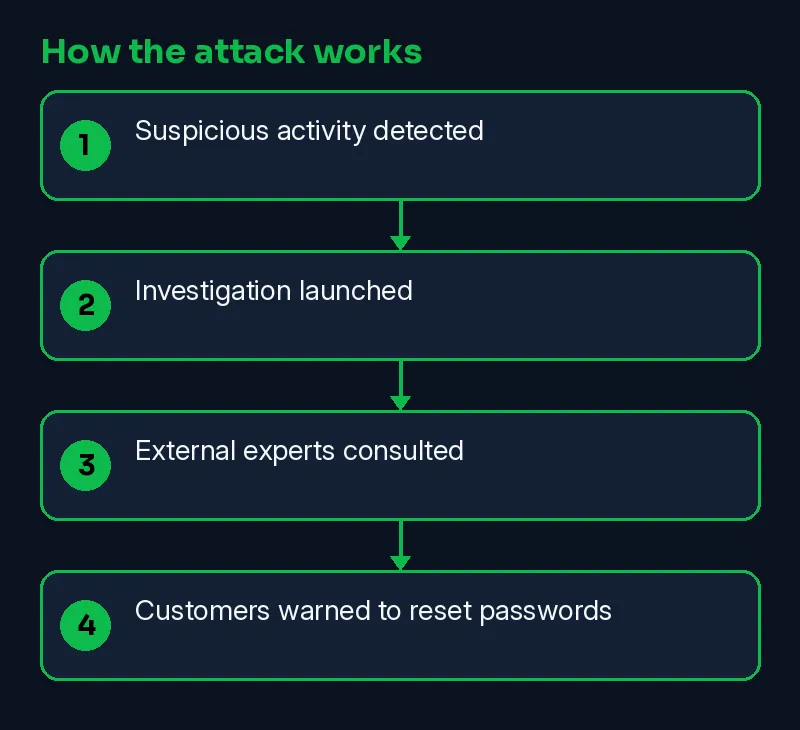
- Suspicious activity detected
- Investigation launched
- External experts consulted
- Customers warned to reset passwords
Timeline
| Date | Event | Source |
|---|---|---|
| 2026-11-04 | Reported by BleepingComputer | BleepingComputer |
| 2026-11-10 | This Skillmate explainer published | Skillmate |
How to fix it
- If you have an account with the affected company, change that password and any reused copies of it.
- Turn on two-factor authentication (a second login step) wherever the service offers it.
- Expect phishing emails or calls that use the exposed details; verify requests through official channels.
How to detect it
Defenders should look for unusual logins, system crashes, or unexpected activity logs.
Signs to watch for:
- Login alerts from new devices or locations on the affected account.
- Password-reset emails you did not ask for.
- Phishing messages that quote your real account details.
What is confirmed
- Reported by BleepingComputer
- Reported by The Hacker News
Why it matters
This matters because it highlights the importance of strong passwords and regular security checks. Companies and users need to stay vigilant to protect sensitive data.
Learn the skills behind this story
Want to understand attacks like this and defend against them? Join Skillmate cybersecurity training or practise hands-on in Skillmate Labs.
FAQ
What should I do if I receive a warning about a hack?
Change passwords, reset 2FA, and remove passkeys as advised. Follow the steps provided by the company.
Why should I reset my 2FA and remove passkeys?
To protect your stored information, even if the data was encrypted before being synced.
Sources
- mSecure password manager hack prompts password reset warnings (BleepingComputer)
- mSecure Warns Users to Change Passwords, Reset 2FA and Passkeys After Suspicious Activity (The Hacker News)
How we wrote this: facts come from the sources above. An on-prem AI model drafted the plain-English parts and every sentence was checked against the sources; unsupported sentences were removed. MITRE mapping is our own judgement.