
Short answer: Google Calendar phishing emails trick users into signing in to fake sites, capturing their passwords and 2FA codes. Companies and individuals using Google Calendar are at risk. Use strong passwords and enable 2FA.
TL;DR
- Phishing emails look like real Google Calendar invites.
- Fake sign-in pages capture passwords and 2FA codes.
- Reputation systems were tricked into thinking the sites were safe.
- Attacker used complex layers to bypass security measures.
- Material Security detected and blocked most malicious messages.
What happened?
This is a phishing campaign where hackers send fake Google Calendar invites. These emails look legitimate and trick users into signing in to fake sites. They use complex techniques to bypass security checks, making it hard for reputation systems to spot the scam. The good news is that security tools can still detect and block most of these emails.
- Phishing
- Fake messages or websites that trick people into giving passwords or money.
Key facts
| Reported by | BleepingComputer |
|---|---|
| Date reported | 04 Nov 2026 |
How it works
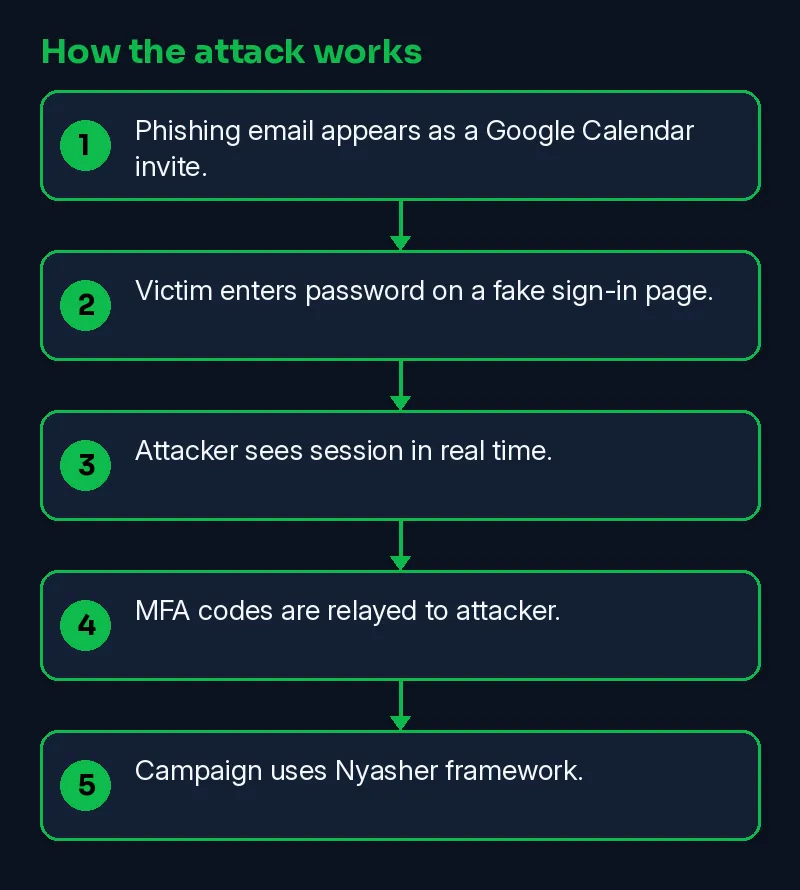
A phishing email looks like a Google Calendar invite. The recipient clicks and enters their password. The attacker sees the session in real time, even if the user has multi-factor authentication (MFA) enabled. The attacker uses a live reverse proxy to capture the session and relay MFA codes.
- Phishing email appears as a Google Calendar invite.
- Victim enters password on a fake sign-in page.
- Attacker sees session in real time.
- MFA codes are relayed to attacker.
- Campaign uses Nyasher framework.
Skillmate analyst mapping (our judgement, not from the vendor):
- T1566 Phishing
Timeline
| Date | Event | Source |
|---|---|---|
| 2026-11-04 | Reported by BleepingComputer | BleepingComputer |
| 2026-11-10 | This Skillmate explainer published | Skillmate |
How to fix it
- Check the sender address and the real link destination before clicking.
- Never share one-time passwords or login codes with anyone.
- Report the message to your IT team or the service's official abuse address.
How to detect it
Look for logs of unusual calendar activity or odd login attempts. A legitimate Google link can be a false positive if the URL redirects unexpectedly.
Signs to watch for:
- Messages that push urgency, payment changes or login links.
- Sender domains that look like, but are not, the real company.
- Logins to your accounts right after someone clicked a link.
What is confirmed
- Reported by BleepingComputer
Why it matters
This attack matters because it bypasses MFA, a crucial security measure. Detecting such attacks is challenging, as no single security system can stop them alone.
Learn the skills behind this story
Want to understand attacks like this and defend against them? Join Skillmate cybersecurity training or practise hands-on in Skillmate Labs.
FAQ
What is a reverse proxy?
A reverse proxy is a server that forwards requests to another server and then returns the response to the original requestor.
How does the attacker bypass multi-factor authentication?
The attacker runs a live reverse proxy to watch the session in real time and relays authentication codes to the attacker, bypassing MFA.
How did Material detect the campaign?
Material detected the campaign by tracking the rotating lures, gates, and receiving endpoints, and continuously analyzing technical indicators and message intent.
Sources
- Google Calendar phishing campaign hijacks sessions, bypasses MFA (BleepingComputer)
How we wrote this: facts come from the sources above. An on-prem AI model drafted the plain-English parts and every sentence was checked against the sources; unsupported sentences were removed. MITRE mapping is our own judgement.