

Short answer: A new Android flaw called GhostMap can cause phones to enter a continuous reboot loop, affecting all Android versions from 10 and up. Users can only fix this by performing a factory reset, erasing all local data. Stay vigilant and check files before installing.
TL;DR
- GhostMap flaw causes persistent reboot loop in Android devices.
- Affects all Android versions from 10 and above.
- Only solution is a factory reset, erasing local data.
- Malicious apps can exploit this to disable phones or extort victims.
What happened?
GhostMap is a vulnerability in Android that lets a specially crafted app crash the device into a continuous reboot loop. This happens when the app triggers a SIGBUS error by reading a malformed file. The issue stems from how Android handles ZIP structures inside APKs. Since the bug is in the base Android OS, all devices are affected. To avoid GhostMap, check files for malformations before installing them.
- Vulnerability
- A mistake or weakness in software that an attacker can misuse.
Key facts
| Reported by | BleepingComputer |
|---|---|
| Date reported | 05 Nov 2026 |
How it works
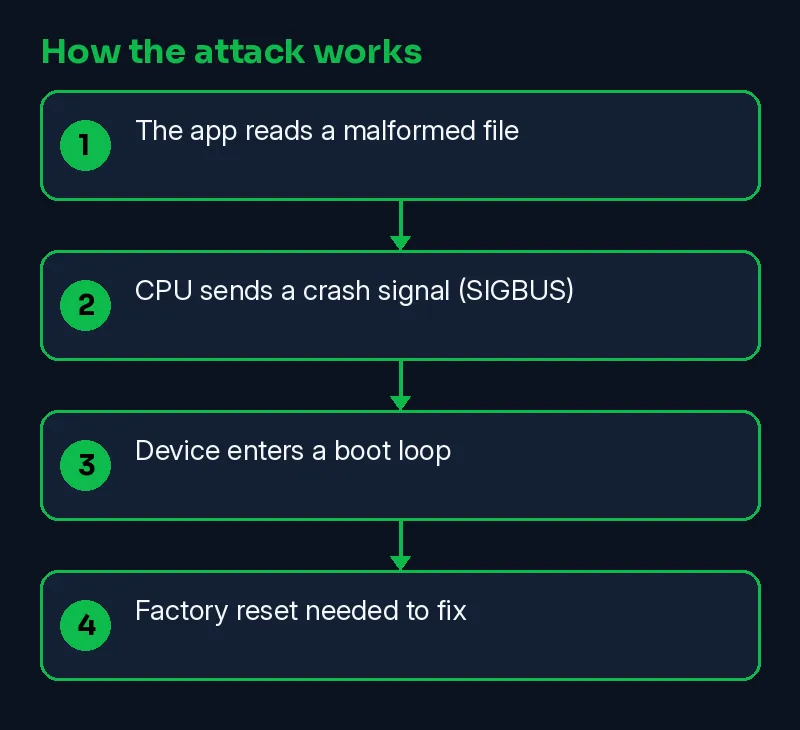
A specially crafted Android app triggers a bug called GhostMap, making the device crash repeatedly. This happens when the app reads a malformed file that causes a CPU error, preventing the phone from booting normally.
- The app reads a malformed file
- CPU sends a crash signal (SIGBUS)
- Device enters a boot loop
- Factory reset needed to fix
Timeline
| Date | Event | Source |
|---|---|---|
| 2026-11-05 | Reported by BleepingComputer | BleepingComputer |
| 2026-11-12 | This Skillmate explainer published | Skillmate |
How to fix it
- Keep systems and network devices updated and follow vendor security notices.
- Make sure an incident response contact and plan exist before an attack happens.
- Ask your service providers which protections they offer, and test them.
How to detect it
Look for repeated crashes, especially in the system process 'system_server'. A false positive could be a legitimate app that triggers a SIGBUS error during updates.
What is confirmed
- Reported by BleepingComputer
- Reported by Help Net Security
- Reported by Infosecurity Magazine
Why it matters
This flaw can make Android phones unusable, preventing access to safe mode and requiring a factory reset. It affects all Android versions from 10 onwards, posing a significant risk to users and businesses.
Learn the skills behind this story
Want to understand attacks like this and defend against them? Join Skillmate cybersecurity training or practise hands-on in Skillmate Labs.
FAQ
What is a SIGBUS error?
SIGBUS is a signal sent by the CPU when a process tries to access an invalid memory space.
Can this bug be exploited by cybercriminals?
Yes, cybercriminals could use a malicious app to create a persistent boot loop, making the phone unusable.
Is there a fix for this issue?
Google has not released a fix for GhostMap, as they consider it outside the scope of a security update.
How can I protect my phone?
Recognize the file structure of a crafted APK before installation. A scanner can detect the issue without running the app.
Sources
- GhostMap Android flaw lets malicious app trigger persistent boot loop (BleepingComputer)
- A banking malware sample led researchers to an Android bug that can loop-crash phones (Help Net Security)
- GhostMap Bug Leaves Android Phones Stuck in Reboot Loop (Infosecurity Magazine)
How we wrote this: facts come from the sources above. An on-prem AI model drafted the plain-English parts and every sentence was checked against the sources; unsupported sentences were removed. MITRE mapping is our own judgement.
Watch today's video brief: https://youtu.be/yaK-CF987xg